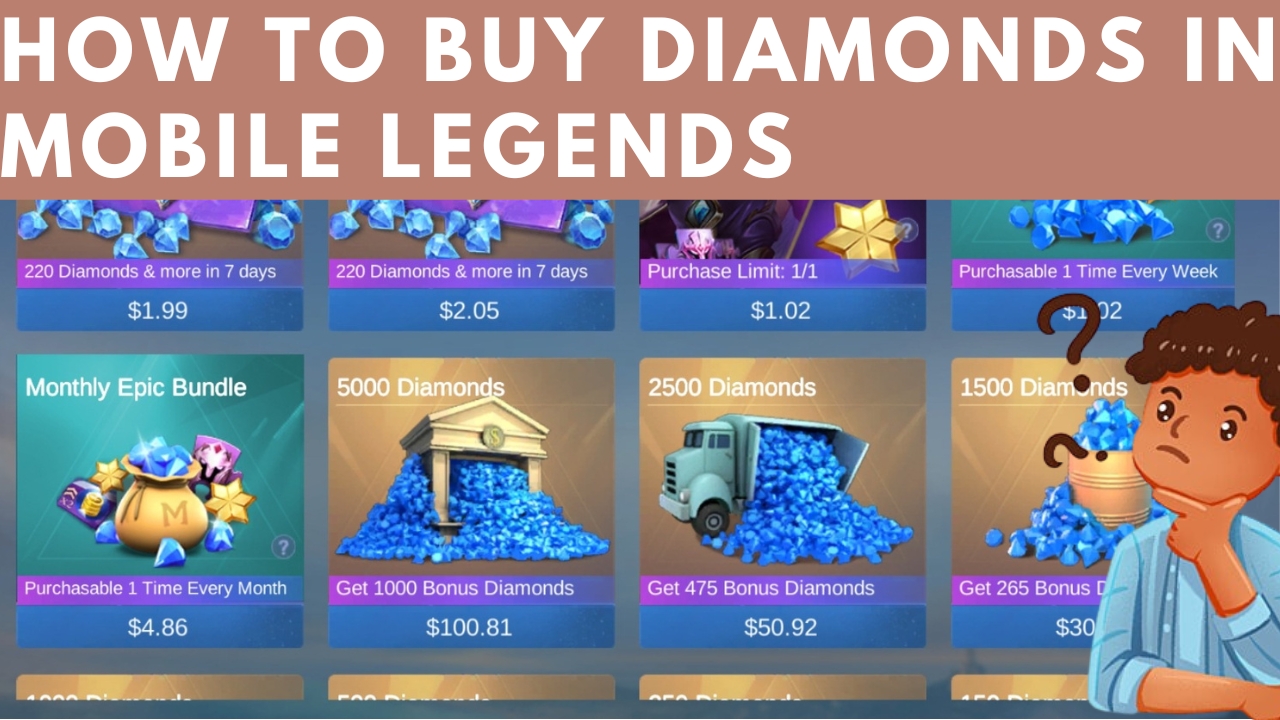
Diamonds are the in-game currency in Mobile Legends: Bang Bang that can be used to purchase various items and features, such as heroes, skins, emotes, and other cosmetic items. Diamonds can be obtained through in-game purchases using real money, or by participating in various in-game events and completing certain tasks. Here is a detail tutorial on how and which websites are best to buy diamonds in your country.
Step By Step Tutorial On How to Buy Diamonds in Mobile Legends
Step 1: Choose a reputable diamond seller.

There are many websites and apps that sell Mobile Legends diamonds, but it is important to choose a reputable seller to ensure that your purchase is safe and secure. Some popular and trusted diamond sellers include:
Codashop
Codashop is a one-stop shop for gamers to purchase in-game currency and other digital goods. It offers a wide variety of payment options, including credit cards, debit cards, mobile wallets, and prepaid cards. Codashop is available in over 30 countries and supports over 5,000 games in which mobile legend is one and popular for it,
SEAGM
SEAGM is a leading digital entertainment platform that provides gamers with a convenient and affordable way to purchase in-game currency, digital goods, and game subscriptions. It offers a wide variety of payment options, including credit cards, debit cards, mobile wallets, and prepaid cards. SEAGM is available in over 20 countries and supports over 2,000 games.
UniPin
UniPin is a leading digital entertainment platform that provides gamers with a convenient and affordable way to purchase in-game currency, digital goods, and game subscriptions. It offers a wide variety of payment options, including credit cards, debit cards, mobile wallets, and prepaid cards. UniPin is available in over 40 countries and supports over 2,500 games.
Razer Gold
Razer Gold is a digital payment platform that allows gamers to purchase in-game currency, digital goods, and game subscriptions for a variety of games and platforms. It offers a wide variety of payment options, including credit cards, debit cards, mobile wallets, and prepaid cards. Razer Gold is available in over 80 countries and supports over 10,000 games.
MolPoints
MolPoints is a digital payment platform that allows users to purchase in-game currency, digital goods, and game subscriptions for a variety of games and platforms. It is available in over 100 countries and supports over 3,000 games.
Kazuki Official
Kazuki Official’s website is a one-stop shop for all things Mobile Legends: Bang Bang. The website features gameplay videos, guides, news updates, patch analysis, and buying dias throughout the world.
Step 2: Enter your Mobile Legends User ID and Zone ID

Once you have chosen a diamond seller, you will need to enter your Mobile Legends User ID and Zone ID. This information can be found in the game by tapping on your avatar in the top left corner of the screen.
Step 3: Select the amount of diamonds you want to purchase.

Once you have entered your User ID and Zone ID, you will need to select the amount of diamonds you want to purchase. Diamond sellers typically offer a variety of packages, ranging from a few hundred diamonds to several thousand diamonds.
Step 4: Choose a payment method.

Most diamond sellers offer a variety of payment methods, such as credit card, PayPal, online banking, and e-wallets. Choose the payment method that is most convenient for you.
Step 5: Complete the purchase.

Once you have selected a payment method, you will need to complete the purchase by entering your payment information and confirming the transaction.
Step 6: Receive your diamonds.
Once the purchase has been completed, the diamonds will be added to your Mobile Legends account immediately. You can check your diamond balance by tapping on the diamond icon in the top right corner of the screen.
Here are some additional tips for buying diamonds in Mobile Legends:
- Be aware of scams. There are many scammers who try to sell fake Mobile Legends diamonds. Make sure to only buy diamonds from reputable sellers.
- Look for promotions and discounts. Diamond sellers often offer promotions and discounts, so be sure to check for deals before you make a purchase.
- Consider buying diamonds in bulk. Buying diamonds in bulk is often cheaper than buying them in smaller quantities.
- Be careful not to overspend. It is easy to get carried away when buying diamonds, so be sure to set a budget for yourself.
Conclusion
Buying diamonds in Mobile Legends can be a great way to improve your gaming experience. With diamonds, you can purchase new heroes, skins, emotes, and other cosmetic items. However, it is important to buy diamonds from a reputable seller and to be aware of scams. Every website we gave have no scam rates so be relaxed to use it.